
Helping merchants handle exception orders without leaving their primary order-processing workflow
Timeline:
6 Weeks
Jun-Aug 2025
Context:
This project was conducted during my internship at ByteDance, within the Douyin E-commerce team (TikTok Shop China), focusing on the merchant-facing platform: Doudian
Team:
1 Product managers
3 Developers
Role:
Drove the end-to-end design of Order Tools integration within Order Management – from problem framing to solution delivery
Facilitated cross-functional alignment with PMs and engineers to drive design decisions within system constraints and delivery timelines
• IMPACT
+27%
Adoption for Order Tools
+12%
Screen efficiency
-5%
CPO (Calls per Order)
• BACKGROUND
Where merchants get their work done
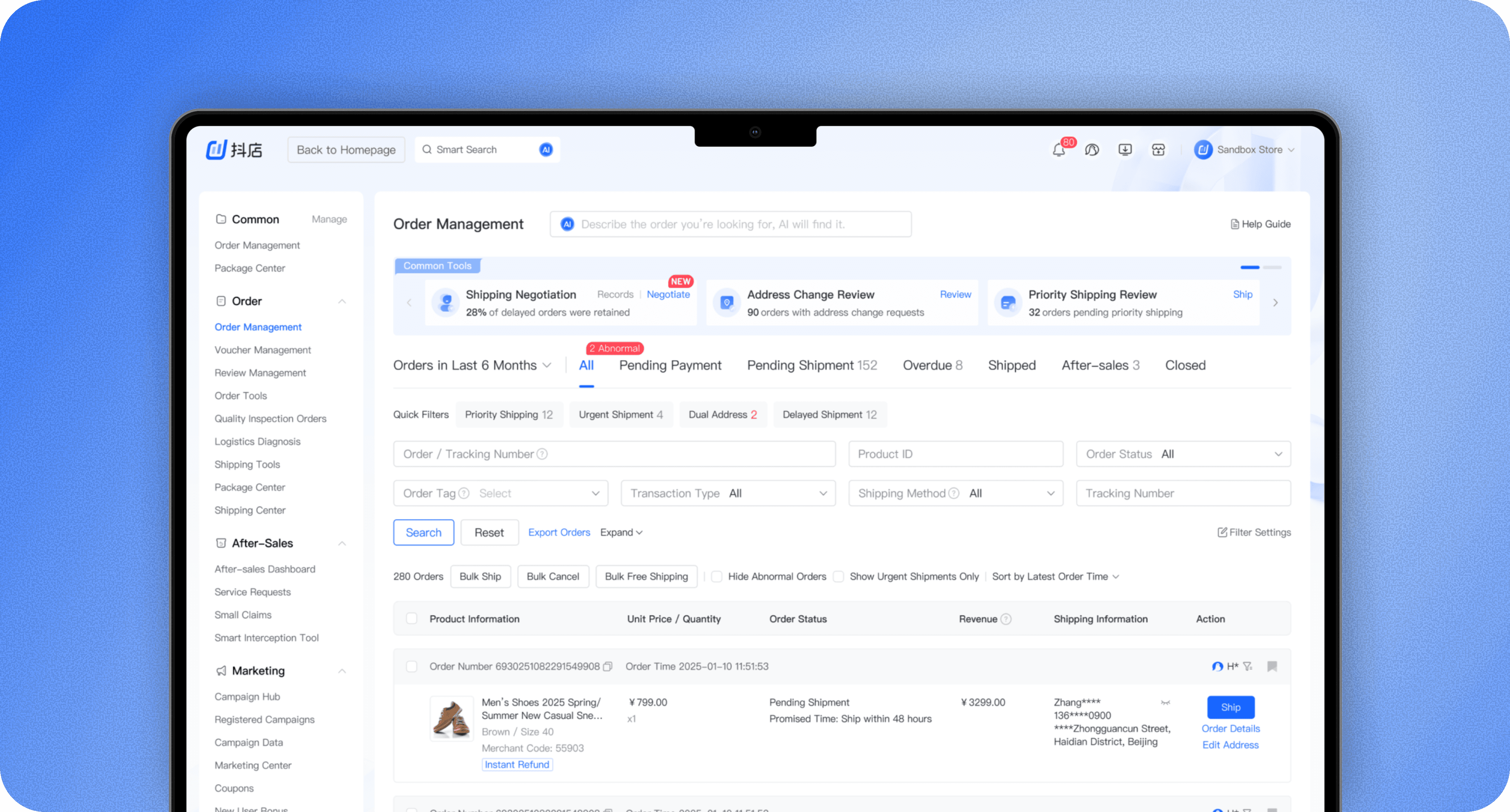
Douyin E-commerce merchants process thousands of orders every day in Order Management. But when exceptions arise, such as address changes or shipping negotiations, they rely on a separate module, Order Tools, to handle these cases
• PROBLEM
Out of context, out of use
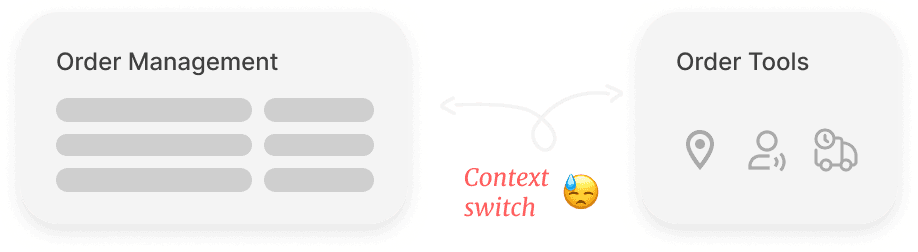
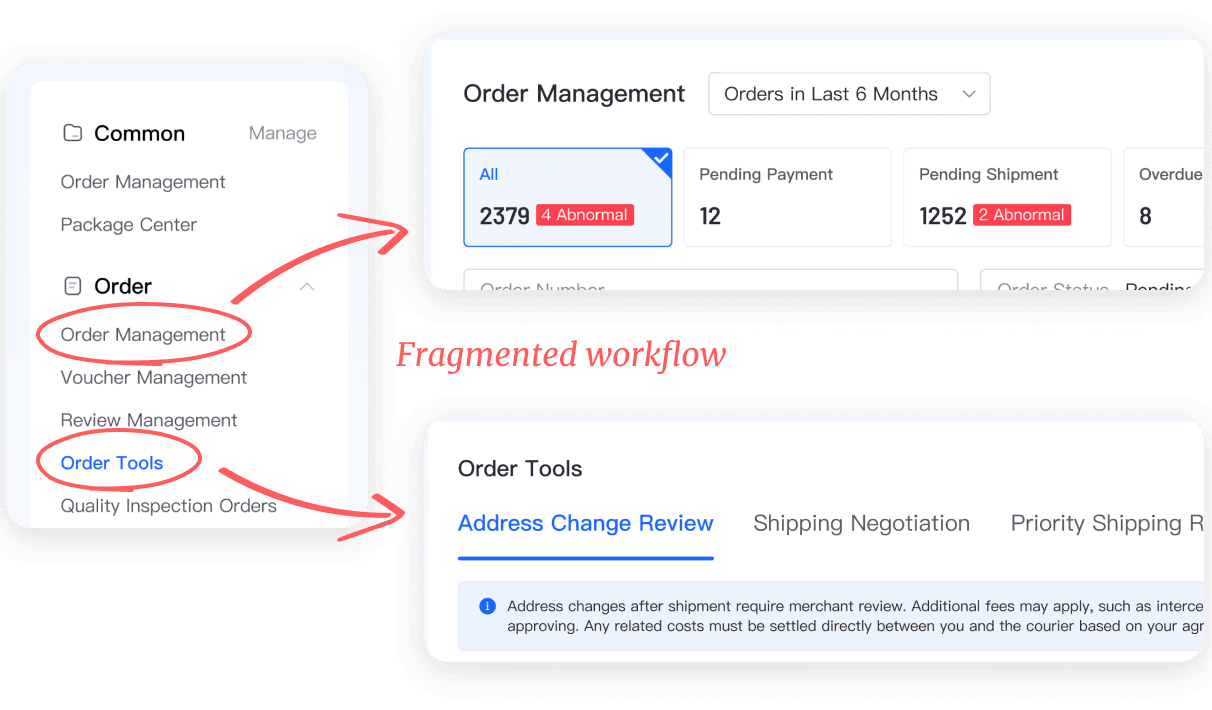
The problem is Order Tools were placed outside the primary workflow, forcing merchants into frequent context switching to take action. This fragmented workflow disrupted high-frequency tasks and resulted in low UV for the Order Tools
• SOLUTION SNAPSHOT
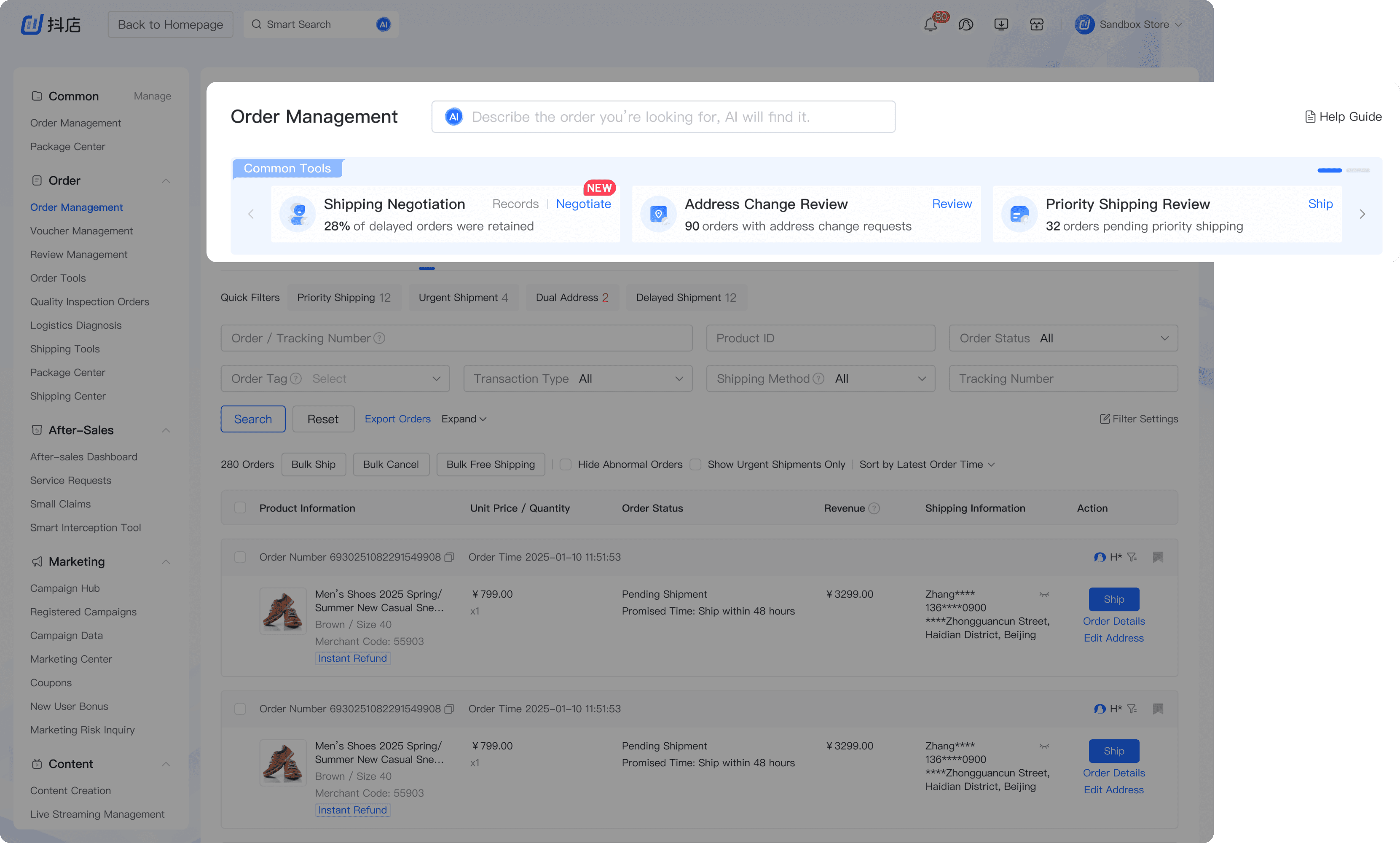
Exception handling within the order workflow
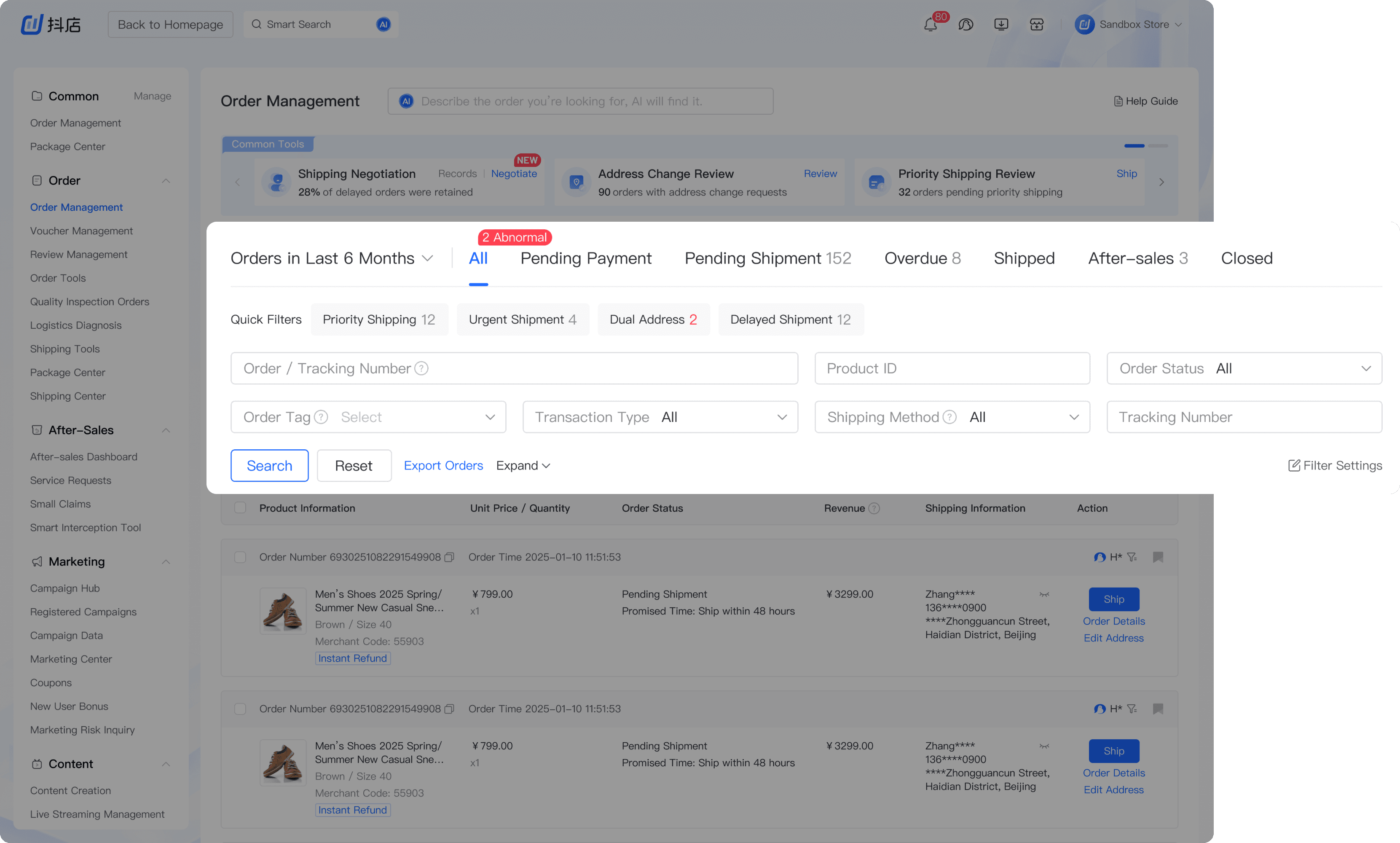
I integrated Order Tools into Order Management, enabling merchants to handle exceptions within the primary order-processing workflow to minimize context switching
Making order management adaptable for integration
I restructured the filtering area to reduce vertical space usage, improving screen efficiency to accommodate the integration of Order Tools
What's the backstage story?
• INITIAL ASSUMPTION
An obvious problem...or is it?
The UV(Unique Visitors) for Order Tools is too low. Given the timeline, can you design a high-visibility banner? That could be the fastest way to increase UV
Product Manager (Lily)

At first glance, increasing exposure felt like a reasonable approach. A high-visibility banner is the easiest way to drive merchants to Order Tools

However, I wasn’t convinced that exposure was the root cause. Increasing visibility might lift UV in the short term,
but it would not change the underlying behavior that kept merchants from reaching the tools
Let’s move forward with the banner first for short-term UV, and in parallel I’ll do a check on the order processing flow to see if there’s a deeper issue we should address
Product Designer (Talia)
• PROBLEM REFRAMING
A system–merchant mismatch
System Flow
Feature-driven
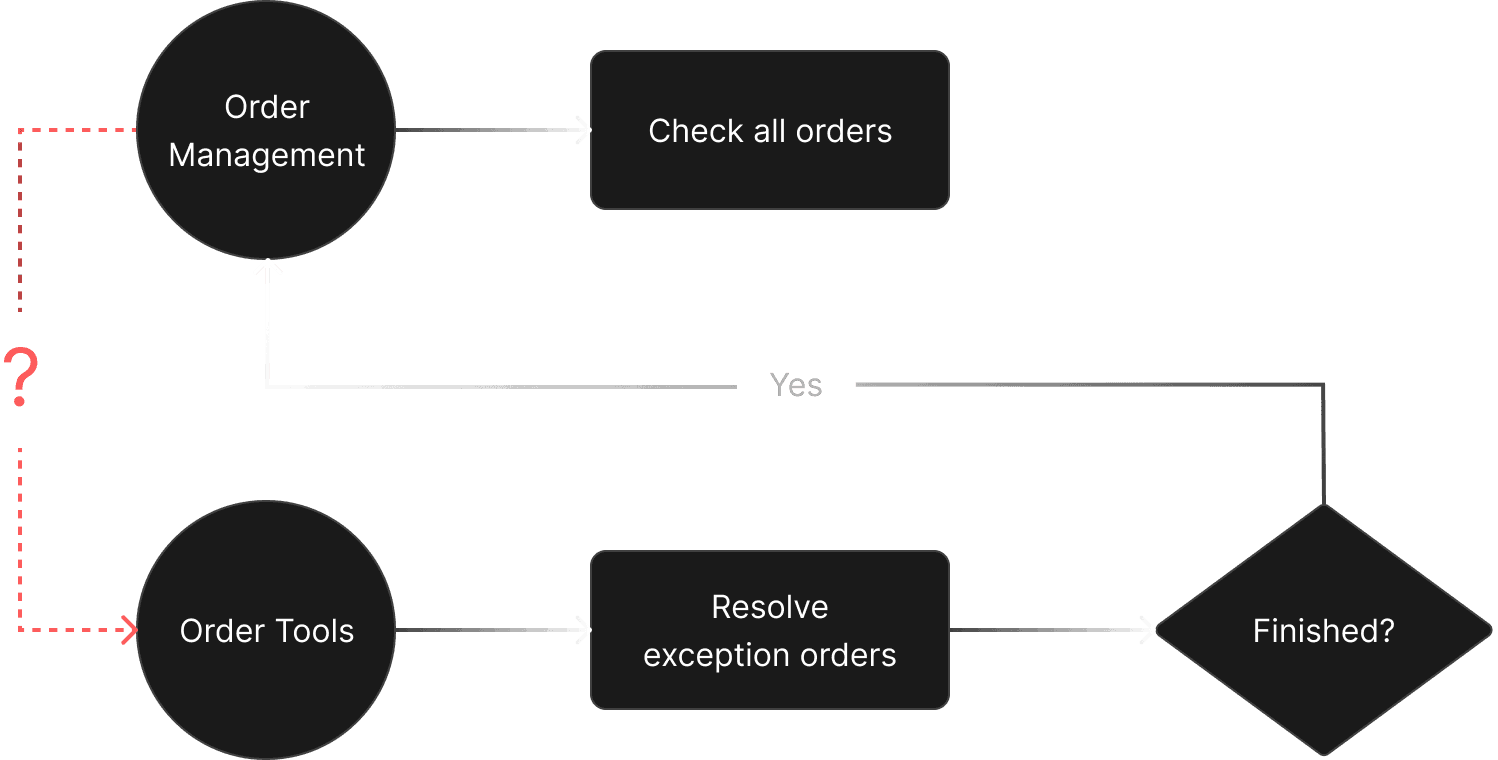
The system is structured around features and modules. Order Management and Order Tools are treated as two separate destinations, each with its own entry point
Merchant Logic
Action-driven
Merchants, however, don’t think in features. They focus on what needs attention right now and what action to take next
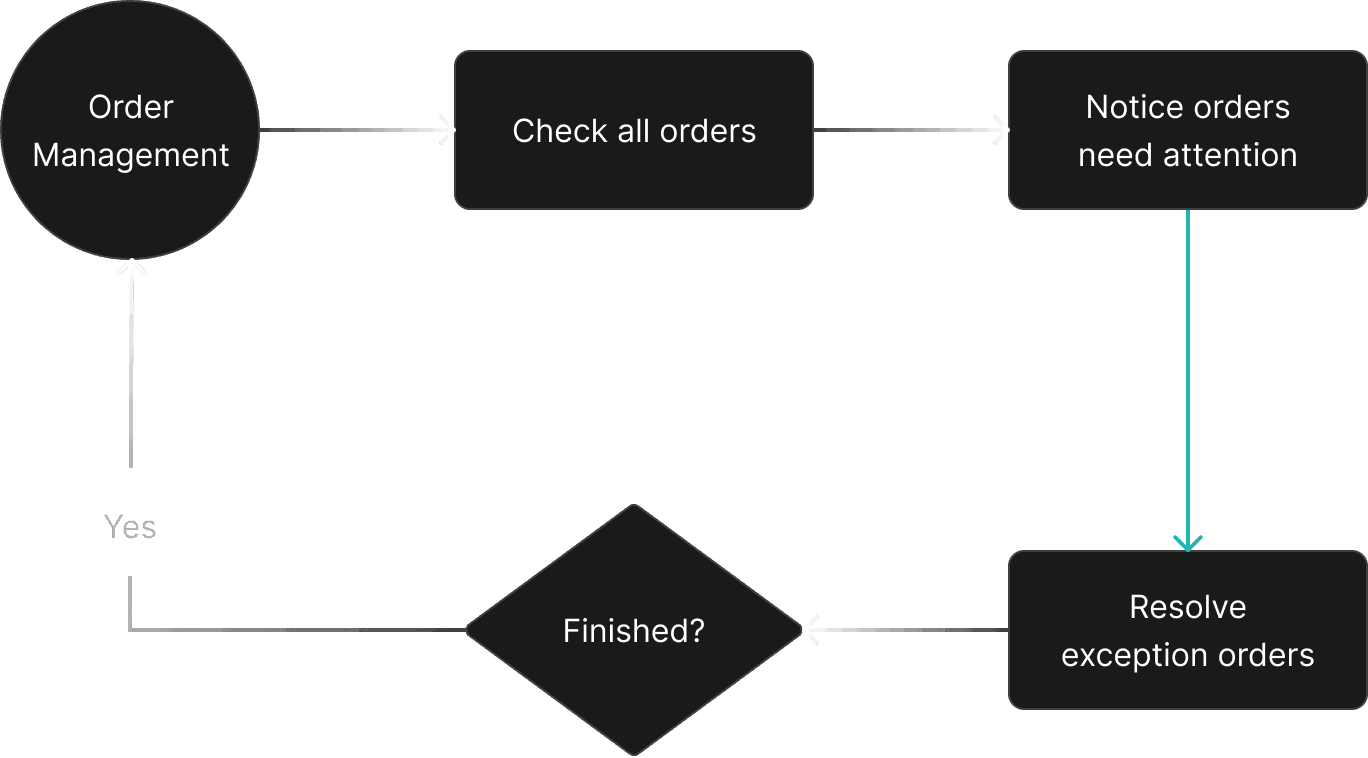

The system expects merchants to know where to go, while merchants expect the system to tell them what needs action
This mismatch results in a fragmented workflow that forces merchants into frequent context switching, requiring them to leave their current workflow to manually hunt for tasks in a separate module
So the challenge is...
How might we help merchants handle exception orders without leaving their current workflow?
Product Designer (Talia)
• FINAL DESIGN 1
How did I bring order tools into the workflow?
BEFORE
AFTER
Final Version
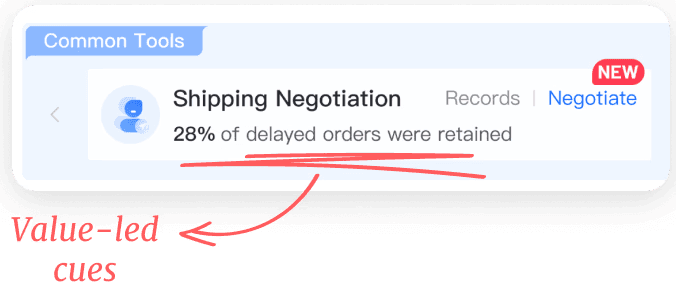
Value-led cues that turns information to actions
Designed for scale and edge cases
Higher engineering and design system investment
Version 2 An overview showing all pending actions
Version 2
Data points aggregation caused information overload, making it harder to guide action as the system scaled
Improved access and order management context, but did not change how users decide when and why to take action
Version 1 A button that opens Order Tools with a side panel
Version 1
• FINAL DESIGN 2
How did I make room for integration?
BEFORE
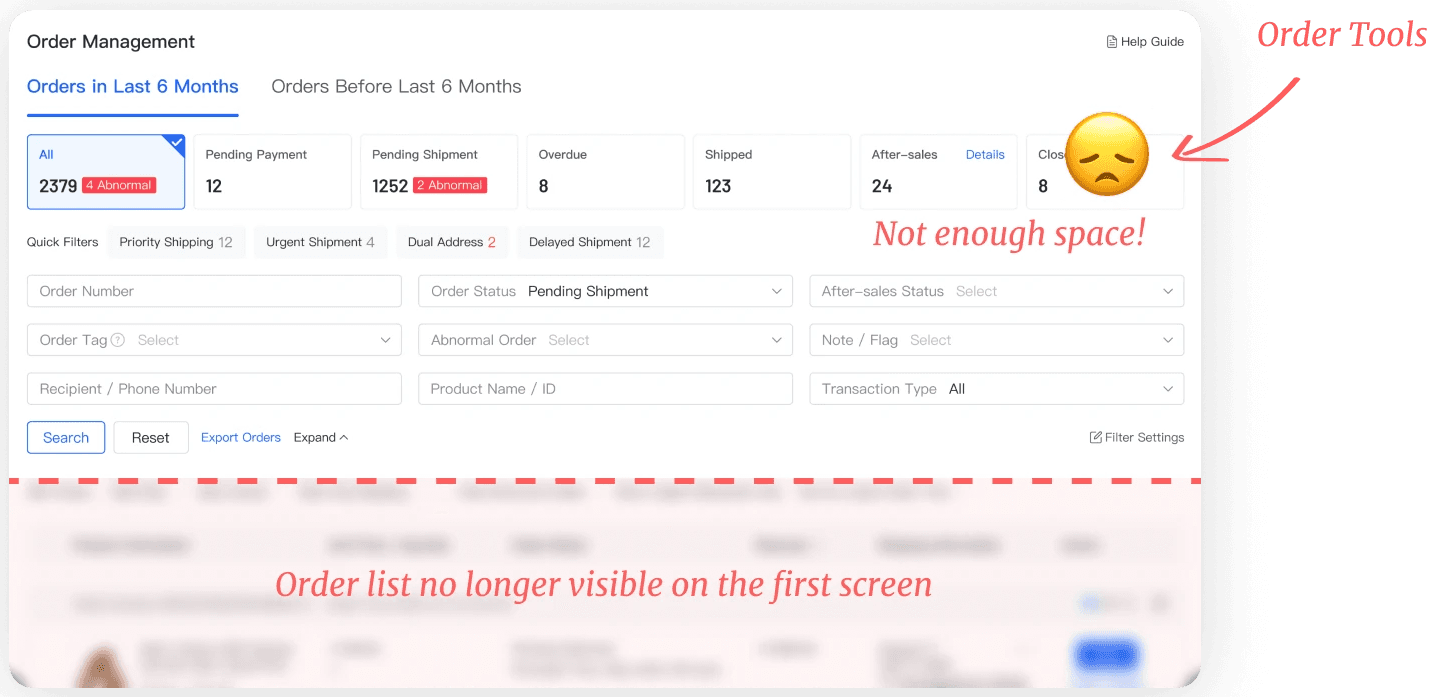
AFTER
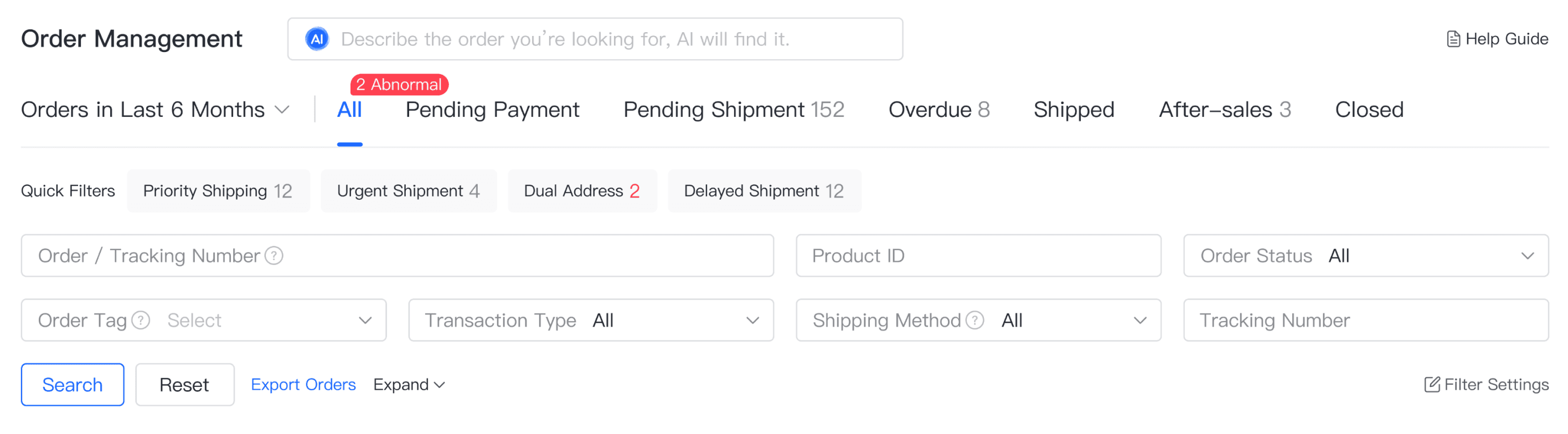
What we failed to see
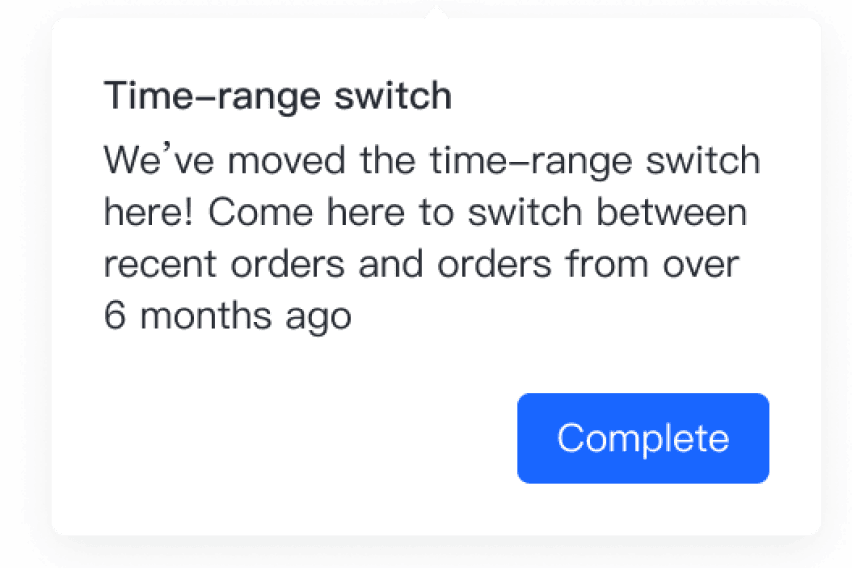
The time-range switch is not directly exposed, which lead to more CPO inquiries
How we solved it
An onboarding tour to show merchants the update
• TAKEAWAYS
What I’ve Learned
Products constantly evolve through the addition, removal, and adjustment of features, and being able to anticipate and accommodate this change is central to building scalable products
In a mature ecosystem, users rely on muscle memory. Design interventions should focus on seamless integration rather than radical change
Working with cross-functional teams requires strong ownership. As a designer, this means aligning closely with PMs and engineers on goals and trade-offs, and taking responsibility for the impact of decisions beyond the design phase